


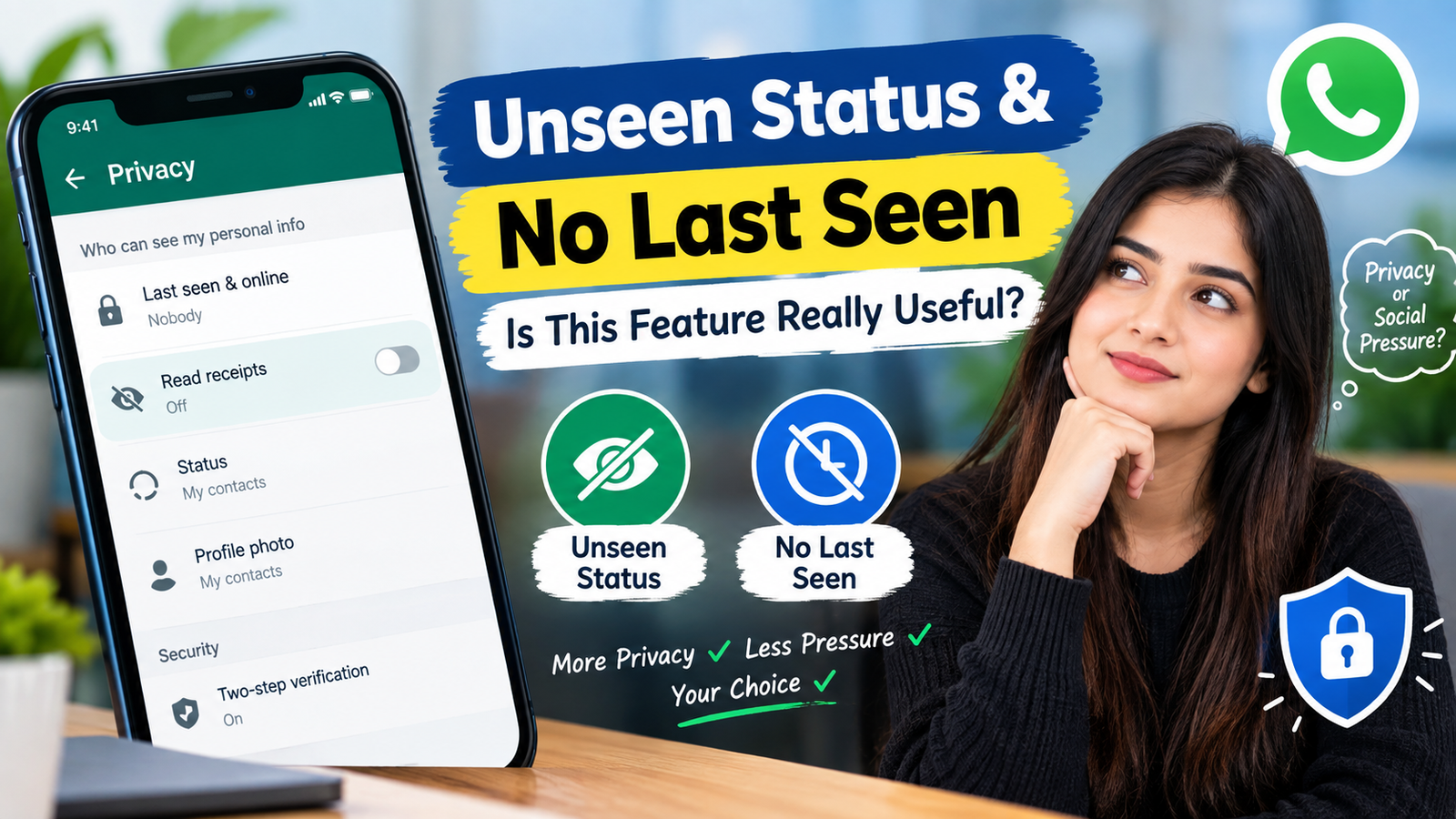
Privacy has become an important part of everyday messaging. People often want to communicate with friends, family, customers, and colleagues without constantly showing when they are online or whether they have viewed a message or status. This is where features such as Unseen Status and No Last Seen can become useful. These privacy options are commonly associated with messaging apps and modified privacy tools that allow users to control what other people can see about their activity.
The main idea behind these features is simple: users want more control over their digital presence. Instead of automatically sharing activity information, they may prefer to keep their online behavior private. However, understanding how these features work is important before relying on them.
What Does Unseen Status Mean?
Unseen Status generally refers to a privacy feature that allows a person to view another user’s status or story without immediately revealing that they have viewed it. On supported messaging platforms, status views can normally be visible to the person who posted the status, depending on the platform’s privacy settings.
An unseen-status option attempts to reduce this visibility. For example, someone might want to check a status update without starting a conversation or creating an expectation that they should reply.
This can be useful in situations where a user is busy, wants to browse privately, or simply does not want every interaction to be visible to others.
However, the exact behavior of an unseen-status feature depends on the application. Official apps usually provide specific privacy controls, while third-party or modified applications may offer additional features that are not officially supported.
What Does No Last Seen Mean?
No Last Seen is another privacy-related feature. The term usually refers to hiding the time when you were last active on a messaging service.
For example, if your Last Seen is enabled, another person may see information such as when you were last using the application. When the setting is disabled or hidden, other users may not be able to see that activity information.
This can provide a greater sense of privacy because people cannot easily determine when you were using the app.
No Last Seen does not necessarily mean that you are invisible. Other information, such as an online indicator, typing indicator, profile information, read receipts, or status activity, may still be visible depending on the platform and its settings.
Why Do People Use Unseen Status and No Last Seen?
There are several reasons people may prefer these privacy features. The first is personal privacy. Not everyone wants their online habits to be visible to contacts.
Another reason is reducing social pressure. When people can see that someone has viewed their status or was recently online, they may expect a response. Hiding these details can help users communicate at their own pace.
These features can also be useful for people who receive many messages throughout the day. Someone may want to check updates quickly without feeling obligated to respond immediately.
For professionals, privacy settings can also create a clearer boundary between personal and work communication. A person may check messages outside working hours without wanting contacts to interpret their activity as availability.
Is Unseen Status and No Last Seen Correct to Use?
From a privacy perspective, using legitimate privacy settings provided by an application can be a reasonable choice. Users should have control over how much activity information they share, provided the feature follows the platform’s rules.
However, it is important to distinguish between official privacy settings and unofficial modifications.
If an application officially provides options to hide Last Seen or control read receipts, users can generally manage those settings through the application’s privacy menu. On the other hand, third-party applications that modify messaging functionality may introduce security, privacy, or account-related risks.
Before using any privacy tool, users should check whether it comes from a trustworthy source and understand what permissions it requests.
Benefits of Unseen Status
One of the biggest benefits of an unseen-status feature is increased privacy. Users can potentially view updates without making their activity as visible.
Another benefit is flexibility. You can browse statuses when convenient without necessarily starting a conversation.
It may also reduce unnecessary pressure. A status view can sometimes lead to questions such as why you saw an update but did not reply. Privacy controls can help users avoid this type of social pressure.
For people who value a quieter digital experience, unseen status can therefore be useful.
Benefits of No Last Seen
No Last Seen can provide several privacy advantages. It prevents other people from easily checking when you were last active, depending on the platform.
This can make messaging more comfortable because contacts have less information about your daily online routine.
It can also help create healthier communication boundaries. You can open an application when you need it without automatically communicating your availability to everyone.
Another advantage is that it can reduce misunderstandings. For example, someone may assume that you are available simply because your Last Seen shows recent activity. Hiding this information can make your availability less predictable.
Limitations You Should Know
Privacy features are not always completely invisible. Different applications handle privacy settings differently, and some features may have limitations.
For example, hiding your Last Seen may not automatically hide your online status. Similarly, disabling read receipts may affect what you can see about other people’s messages.
Some privacy settings can also work both ways. When you hide certain activity information from others, the platform may restrict your ability to see the same information from them.
Third-party applications may have additional limitations. They can stop working after an application update, violate platform terms, or create security concerns. Therefore, users should be careful before installing unofficial versions of messaging applications.
Official Privacy Settings vs Third-Party Tools
The safest approach is usually to start with privacy settings available inside the official application.
Official privacy controls are designed by the platform and are generally easier to understand and manage. Users can normally find options related to Last Seen, profile visibility, status visibility, read receipts, and online presence within the privacy section.
Third-party tools may advertise additional functions, but users should carefully consider what access those tools require. If an application asks for unnecessary permissions, login information, or other sensitive data, users should think carefully before using it.
Privacy should not come at the cost of account security.
How to Manage Privacy Settings
The exact steps depend on the messaging application you use. In general, open the application’s Settings and look for a section called Privacy, Privacy and Security, or something similar.
From there, you may find options related to:
- Last Seen
- Online Status
- Read Receipts
- Status Updates
- Profile Photo
- About Information
- Group Invitations
- Blocked Contacts
Choose the settings according to your personal preferences. If the platform provides an official option to hide Last Seen or control status visibility, using that option is generally preferable to installing an unofficial application.
Is No Last Seen Good for Privacy?
No Last Seen can be helpful for people who want greater control over their online activity. It reduces the amount of information that contacts can use to determine when someone was recently active.
However, privacy is broader than simply hiding Last Seen. Users should also review their profile photo visibility, status audience, group permissions, linked devices, and account security settings.
Using a strong password where applicable and enabling two-step verification can also help protect an account.
Is Unseen Status Useful for Everyone?
Not necessarily. Some people may find it useful, while others may prefer normal communication features.
For example, if you regularly communicate with family members or coworkers, visible read and activity indicators may make communication easier. Other users may prefer fewer visible indicators because they value privacy.
There is no universal requirement to use or avoid these settings. The best choice depends on how you use the messaging platform and how much activity information you want to share.
See Also : Best App to Get Car Insurance Online in 2026
FAQs
What is Unseen Status?
Unseen Status generally refers to a feature that allows users to view status or story updates without showing the usual view information to the person who posted them, where the platform supports such functionality.
What does No Last Seen mean?
No Last Seen means hiding information about when you were last active on a messaging application. The exact behavior depends on the application’s privacy settings.
Can people still see me online if Last Seen is hidden?
Possibly. Last Seen and online status can be separate settings. Some platforms allow users to control them independently.
Does hiding Last Seen improve privacy?
Yes, it can reduce the amount of activity information visible to other users. However, it does not provide complete anonymity or protect every aspect of an account.
Is Unseen Status available on every messaging app?
No. Privacy features vary between applications and versions. Users should check the official privacy settings of the application they use.
Are third-party apps safe for No Last Seen features?
Not necessarily. Third-party applications can introduce security and privacy risks. It is important to check the developer, permissions, reputation, and platform policies before using them.
Can I hide my Last Seen without installing another app?
On many messaging platforms, yes. If the official application provides a Last Seen privacy option, you can usually change it directly from the privacy settings.
Does No Last Seen hide my online status?
Not always. Last Seen and online status may be separate features, so check the application’s privacy settings to understand exactly what is hidden.
Can I use Unseen Status and still reply to messages?
In many situations, yes. These privacy features generally control visibility rather than preventing communication. However, the exact behavior depends on the application.
Should I use privacy features on my messaging account?
Privacy settings can be useful if you want greater control over your activity information. Review the available official options and choose settings that match your communication and privacy needs.
Final Thoughts
Unseen Status and No Last Seen are privacy-focused features designed to give users more control over their messaging activity. Unseen Status can help limit visibility when viewing status updates, while No Last Seen can prevent contacts from easily seeing when you were last active.
These features can be useful for people who want more privacy, fewer social expectations, and better control over their digital presence. However, users should understand that privacy settings have limitations and may work differently across applications.
The safest approach is to use privacy controls provided directly by the official messaging application whenever possible. Before using third-party tools, consider their security, permissions, reputation, and compatibility with the platform.
Ultimately, privacy settings are personal choices. Understanding how each option works allows you to decide what information you want to share and what information you prefer to keep private.